Buying a Tesla is not like buying a gas car. Ownership revolves around charging, software that improves over time, and details dealers rarely explain honestly: tire wear, panoramic glass heat, the recommendation to charge to only 80%, or the real cost of home charging. This guide covers the essentials so you go in with your eyes open — including which software extras are not included in the car price (FSD, Premium Connectivity). All prices in U.S. dollars (USD).
1. Supercharger charging: times, prices, and how many there are
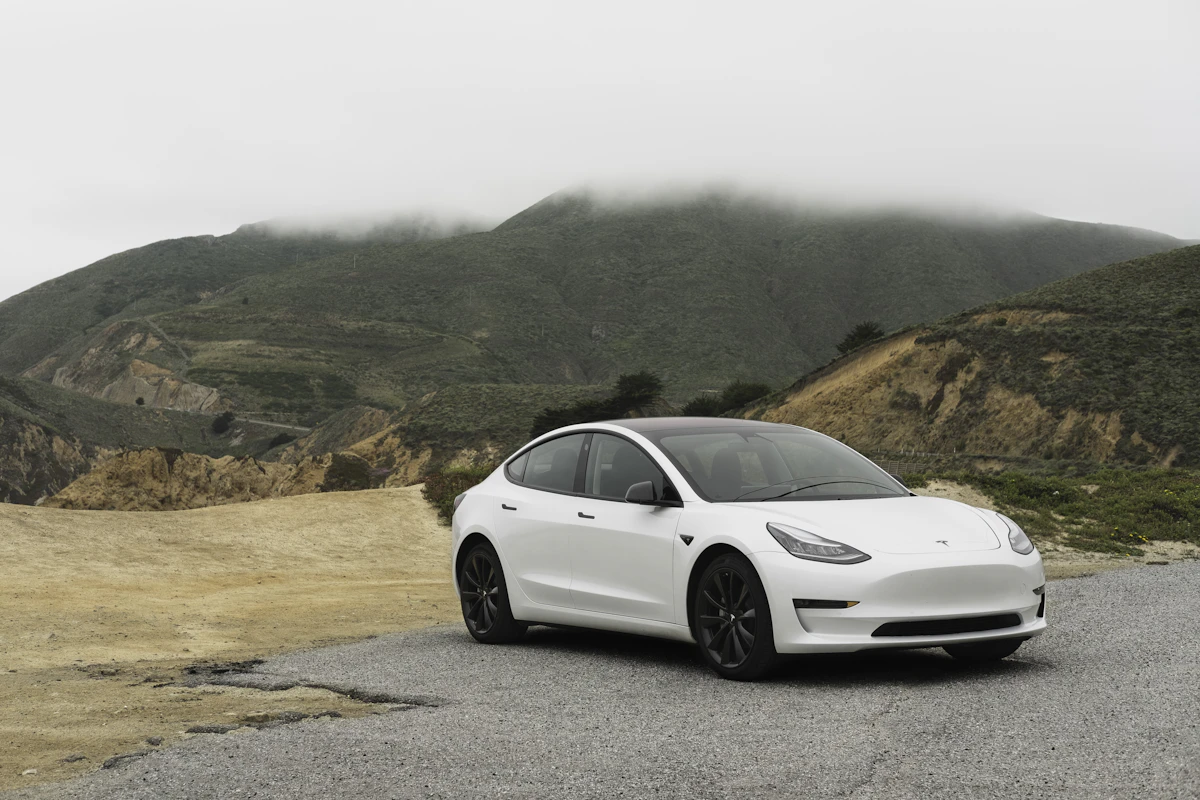
Tesla's Supercharger network is one of the clearest advantages over other EVs. North America alone has more than 7,000 stalls, with broad interstate coverage: you can cross the country with 15–25 minute stops on most long trips.
Typical times (Model 3/Y Long Range, warm battery, Supercharger V3/V4):
- 10 → 80%: about 20–30 minutes with peaks of 170–250 kW.
- 80 → 100%: another 15–25 minutes, because the charge curve tapers to protect the battery.
- At an urban Supercharger (72 kW) or third-party AC charger, times multiply.
Prices: vary by state and time of day. In the U.S. in 2026, dynamic rates often range from $0.28 to $0.45/kWh at peak hours; off-peak can be lower (in some areas it rarely drops below $0.31/kWh). A typical highway session (40–50 kWh) costs $12–20. Tesla also offers memberships or credits in some promotions.
Practical tip: plan stops at 80% with the built-in navigator; the car already calculates where to charge, how long, and whether to wait or go to a less busy station.
2. Home charging: equipment, electricity, and wait times
80–90% of Tesla charging happens at home or work. Without a dedicated charger, a 120 V household outlet (NEMA 5-15, ~1.4 kW) adds only 3–4 miles of range per hour: going from 20% to 80% can take more than 24 hours. That is not viable as a permanent solution.
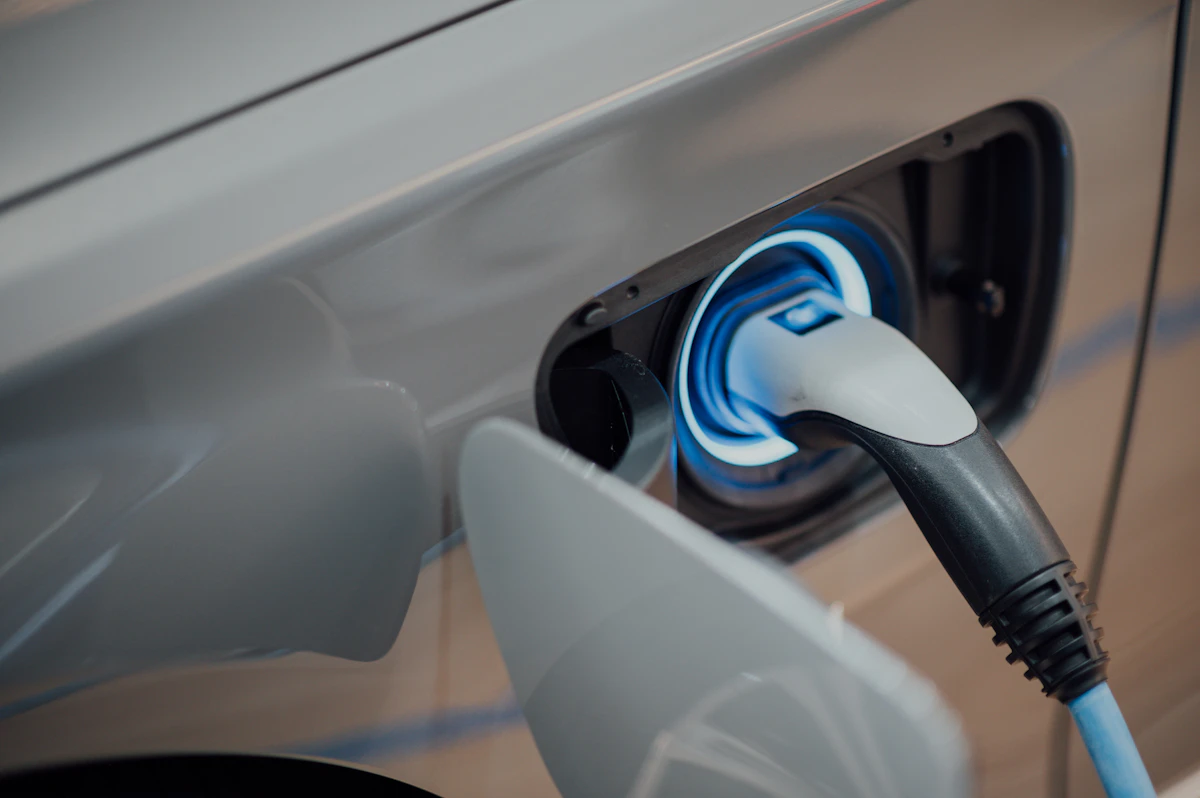
Wall Connector (Tesla): up to 48 A / 11.5 kW on 240 V (depending on installation). Hardware price: about $475 in the Tesla shop. Electrical installation (wiring, dedicated breaker, permits) usually costs an extra $500–1,500 depending on panel distance and complexity.
Wall Connector times (Model 3/Y LR):
- 0 → 100%: about 7–8 hours at 11.5 kW.
- 20 → 80%: about 4–5 hours — ideal for overnight charging.
Electricity cost: at ~$0.13/kWh (national average) and ~25 kWh/100 miles, every 100 miles costs about $3.25 at home versus $10–14 in equivalent gasoline. With off-peak rates or solar panels, the gap grows.
Schedule charging for off-peak hours from the app or vehicle. With solar, integrating a charger with surplus management maximizes savings.
3. Glass roof, cabin heat, and the battery
Teslas with a panoramic glass roof (Model 3, Y, S, X) let in a lot of solar radiation. In summer, cabin temperature can exceed 120–140 °F (50–60 °C) parked in the sun. The A/C works harder at startup and uses battery energy — it does not degrade the battery itself, but it reduces range that day.
Sustained heat accelerates cell aging if the pack stays hot above 104 °F (40 °C) while at 100%. That is why Tesla recommends Cabin Overheat Protection and, in summer, parking in shade or using sunshades/film.
Third-party opaque roof retrofits or interior shades exist. They are not essential, but many owners in hot climates (Florida, Texas, Southwest) consider them among the first upgrades.
4. Door sound and interior plastics
Model 3/Y doors close with a firm, metallic thunk, unlike the cushioned clunk of premium German brands. It is not a defect: it is a rigid structure and electric latch. Some love it; others find it harsh.
The interior bets on extreme simplicity: hard plastics low down, vegan vinyl on standard seats, and optional premium synthetic leather. Fit and finish have improved generation to generation (Highland, Juniper), but it remains a functional cabin, not a handcrafted one. Matte black surfaces show fingerprints easily; lighter colors age better visually.
5. Battery degradation and the 80% debate: is the recommendation fair?
Tesla recommends daily charging to 80% (NCA/NMC packs) or 100% on LFP (recent Standard Range), and saving 100% for trips. The technical logic is real: keeping a lithium-ion pack at 100% in heat for long periods accelerates degradation.
But many owners raise a fair objection: imagine Toyota telling you not to fill the tank past half? You buy EPA range — say 320 miles — and in practice you are asked to use only ~250 miles to preserve the battery you paid for. Accelerated wear should not fall only on the user if the product routinely promises that capacity.
The middle ground:
- Typical degradation after 100,000–125,000 miles: 8–15% capacity loss with good habits.
- Daily 100% charging in hot climates can worsen those figures.
- LFP packs tolerate daily 100% better.
- Battery warranty covers drops below 70% in 8 years / 120,000 miles (Model 3/Y; figures vary by model).
Our view: the 80% recommendation is technically sound but commercially awkward. Tesla (and the industry) should be clearer at sale: «recommended useful range» vs «occasional maximum range». Meanwhile, if you do not take long trips daily, 80% is a good balance; if you paid for the extra miles, use them — but accept slightly more wear.
5.1 What if the battery hits 0%? Emergency reserve, warnings, and what to do
One of the most common questions from gas-car converts: does the Tesla stop moving the moment the gauge hits 0%? Short answer: not instantly, but you should not treat 0% as «I still have plenty left.»
Does it stop moving at 0%?
When the screen shows 0%, the car does not shut off immediately on the highway. Like most EV makers, Tesla keeps a hidden reserve below displayed 0% to protect cells and give you a minimal margin to reach a charger.
Approximate reserve (not guaranteed):
- Model 3 / Model Y: often a buffer of about 2–4 kWh below indicated 0%.
- Model S / Model X: somewhat larger reserve, around ~5 kWh per technical reports.
- Real miles after 0%: highly variable — owner and media tests have seen from ~10–15 miles in reduced-power mode to exceptional cases with very gentle driving. Do not count on a fixed number: temperature, grade, speed, and pack state change the outcome.
Important: the 0% you see already includes that protected reserve. There is no visible «-5%»: what you see is what Tesla chooses to display; below that, energy is released gradually in an emergency.
Emergency mode (reduced power)
Before stopping completely, the Tesla enters a low-power mode (sometimes called «limp mode» or «turtle mode» in the community):
- On-screen warnings that the battery is critical and the car may stop soon.
- Very limited acceleration and, in some cases, a capped top speed (e.g. ~40 mph / 65 km/h).
- Steering and brakes usually still work, but performance drops sharply.
- If you keep pushing, the system cuts drive, applies the parking brake, and the vehicle stops moving entirely.
When fully depleted, the Tesla cannot normally be pushed (motor coupled to wheels) nor charged on the spot if the 12 V auxiliary battery has also died. You often need a flatbed tow and sometimes a 12 V jump before the main pack will accept AC/DC charging.
Is it advisable to reach 0% or «go past» it?
No. The reserve exists for safety, not as extra range you can plan on.
- Battery health: repeated deep discharges accelerate degradation. Tesla discourages routinely driving below 10–20%.
- Warranty: damage from prolonged deep discharge or leaving the car at 0% for weeks may fall outside coverage if deemed owner negligence.
- Unpredictability: in extreme cold, long climbs, or high speed, the buffer burns much faster.
- Cost and time: being stranded means a tow, wait, and possible Service Center visit — far more expensive than charging 10 minutes earlier.
Practical rule: on a trip, charge when you reach 10–15% if the next Supercharger is far. For daily use, occasionally dipping to 5–10% is not catastrophic, but avoid 0% except in a real emergency.
How to tell in the Tesla that you are nearing a full shutdown
On Model 3/Y (center screen) and Model S/X (instrument cluster or center screen depending on generation), watch for:
- Battery icon (top of the drive zone / status bar): the bar empties and the icon turns amber or red at low level (often below ~20%; exact threshold may vary with software updates).
- Numeric percentage next to the icon: at 0%, miles remaining may still show on the estimator — but you are already in the critical zone.
- Miles remaining estimate: at 0 mi with 0% on screen, you may still roll a short distance in reduced mode; when the car shows «imminent shutdown» or «battery very low — charge now» alerts, you are using the final reserve.
- Pop-ups: messages like «Battery very low», «Reduced power», «Car shutting down — charge now» (or Spanish equivalents depending on UI language). These mean total shutdown is near.
- Navigation / route planner: with a charging destination, the map may highlight the Supercharger in red or warn you will not arrive on current charge — act before the battery icon turns red.
- Energy app (lightning icon → consumption graph): useful to see if you are using more kWh than expected in real time; it does not replace low-battery warnings but helps you anticipate.
Visual summary: empty battery bar + red/amber color → 0% → reduced-power warnings → 0 mi estimated → imminent shutdown message → car stops. Do not wait for the last bar: when you see the first orange/red warning on the highway, exit to charge at the next stop.
If you are already at 0% and the car will not move
- Turn on hazard lights and move the car to a safe spot.
- Call Tesla Roadside Assistance or a flatbed tow (do not tow with wheels on the ground without correct Tow Mode procedure).
- If it has been at 0% for days and does not respond, it may need 12 V assistance before accepting AC/DC charging.
- At a Supercharger, let the battery precondition; the first charge after a deep discharge may be slow until temperature and voltage stabilize.
6. Tires: weight, rear wear, lifespan, and noise
A Tesla weighs 4,000–5,100 lb (1,800–2,300 kg) depending on model (Model 3 RWD ~3,850 lb; Model X Plaid >5,500 lb). That weight, plus instant electric torque, hits rear tires hardest, especially on RWD and Performance trims.
Typical lifespan:
- Standard Model 3/Y, mixed driving: 25,000–35,000 miles per set.
- Performance / spirited driving: 12,000–20,000 miles on rear axles.
- Rotation per the manual (every ~6,000 miles) extends life.
Full set cost: $700–1,400 mounted (typical 18–20″; Michelin PS4S, P Zero, Hankook iON EV).
Wheel size and compound: large wheels (20–21″) and low-profile tires improve grip and looks but increase road noise and bump sensitivity. 18″ with taller sidewalls are more comfortable and quieter — many highway owners prefer them. EV-specific tires (marked «EV» or «ion») handle weight better and cut rolling resistance.
7. Suspension and damping
Model 3/Y use MacPherson front and multi-link rear suspension, tuned firm: good body control, somewhat harsh over bumps. Model S/X offer adaptive air suspension (Smart Air on recent versions) with more comfort.
Shocks and suspension arms are not a systematic weak point, but vehicle weight calls for periodic inspection after 50,000–65,000 miles. Performance versions are stiffer. Do not expect Mercedes E-Class softness; do expect precise response and little body roll thanks to the low center of gravity (battery in the floor).
8. Windshield wipers
One of the most discussed weak points on forums: the large windshield, sun exposure, and wiper design mean in hot climates they dry out and squeak sooner than on other cars — sometimes before 12 months. Hydrophobic treatment (GlassCoat, etc.) and quality replacements (Bosch Aerotwin, Tesla OEM) every 6–12 months avoid surprises. Not expensive ($25–55), but budget for it.
9. Software: the only car that gets better every month
Here Tesla has no rival. While a 2019 BMW is still the same 2019 BMW, a 2019 Tesla has received dozens of OTA updates: more range, improved backup camera, Disney+, Autopilot improvements, new games, app integration, 3D visualization…
The 2026.20 ecosystem brings Dashcam encryption, parental controls, «Hey Grok», and constant patches. The mobile app evolves in parallel (Charge Stats 2, Live Updates on Android). It is the main emotional reason many never go back to a «dumb» car.
10. Full Self-Driving (FSD): not included in the car price
Important clarification: Full Self-Driving (Supervised) is not included free when you buy a Tesla. It is one of the most common mistakes among first-time buyers: they see demo videos, hear «the car drives itself», or confuse FSD with basic Autopilot that does come standard.
What is included (free):
- Basic Autopilot: adaptive cruise, lane keeping, automatic emergency braking.
- Software updates (OTA) and basic navigation via Standard Connectivity (see section 10.1).
What FSD is and why it costs extra: FSD (Supervised) in v14.x adds assisted city driving (lights, roundabouts, urban turns), smoother highway lane changes, advanced auto park, Smart Summon, and more — all requiring constant driver supervision; it is not legal level-4 autonomy.
U.S. price (2026):
- Monthly subscription: $99/month — since February 2026, for most models, this is the only way to access FSD. Activate or cancel anytime in the Tesla app.
- One-time purchase ($8,000): Tesla removed lifetime FSD purchase in February 2026 for Model 3, Model Y, and most trims. Occasional exceptions: premium packages like Luxe on Model S/X or Cyberbeast, where FSD may be bundled (not on a «base» Tesla).
Real cost over time: $99/month is $1,188 per year. Five continuous years ≈ $5,940; six years ≈ $7,100 — comparable to what the one-time purchase used to cost. If you cancel, you lose access to those advanced features.
On lease and promos: some leases include trial months of FSD, but do not assume it is standard. When the lease or promo ends, you pay $99/month again or lose access. Same if you buy used: the previous owner's FSD does not always transfer.
Is it worth it? If you drive a lot of highway or city and value active assistance, one month trial may be worthwhile. If you drive occasionally or basic included Autopilot is enough, it is not mandatory — you are not «losing» features you paid for in the vehicle price.
10.1 Premium Connectivity: also not free for life
Another common misunderstanding: many owners think Netflix, Spotify, satellite maps, live traffic, or Sentry Mode live camera on the phone are included forever. They are not.
Tesla splits connectivity into two tiers:
Standard Connectivity (included): no extra cost for the first 8 years from new-vehicle delivery. Includes basic navigation, OTA software updates, and minimal data for essential functions. It does not include live traffic, satellite view, in-car data streaming, or live Sentry viewing from the phone outside Wi‑Fi.
Premium Connectivity (paid): separate subscription unlocking:
- Satellite map view and live traffic.
- Streaming Netflix, YouTube, Spotify, etc. over the car's LTE (without phone hotspot).
- Sentry Mode — live view from the app.
- In-car internet browser over cellular.
- On 2026 models, features like Grok AI («Hey Grok») require Premium Connectivity or Wi‑Fi.
Price (U.S., 2026):
- $9.99/month (plus tax by state).
- $99/year (annual plan; saves ~$20 vs monthly).
New orders often include a Premium Connectivity trial at delivery; when it ends, premium features lock unless you subscribe. On demo or used cars, remaining trial may be shorter or expired — check Tesla app → Upgrades before signing.
Exceptions: some recent Model S and X include lifetime Premium Connectivity; not the case for standard Model 3/Y. Do not confuse a temporary promo with a permanent benefit.
Do you need to pay? If you always charge at home on Wi‑Fi and use your phone hotspot for music, you can skip it. If you want live Sentry, full maps without the phone, and entertainment at Superchargers without setup, ~$10/month is often worth it — but count it in your monthly budget alongside possible FSD ($99/month): together they can be ~$109/month extra not shown in Tesla's vehicle web price.
11. Audio, entertainment, and sync
The premium audio system (subwoofer, multiple speakers) is among the best in the segment. Sync between streaming, Bluetooth, USB, and apps (built-in Spotify, Apple Music, TuneIn) works smoothly. While parked, Netflix, YouTube, Twitch, and games (Tesla Arcade) turn the car into a climate-controlled waiting room — ideal while charging. Important: in-car data streaming (without Wi‑Fi) requires paid Premium Connectivity; on Standard Connectivity it only works on Wi‑Fi or phone hotspot.
Fault detection via app and telemetry lets Tesla spot issues (12 V battery, sensors, recalls) before the owner notices, and schedule remote service or a Service Center appointment.
12. Safety: cameras, Sentry Mode, and monitoring
Sentry Mode records with exterior cameras when it detects suspicious movement near a parked vehicle. Clips save to USB and can serve as evidence for vandalism or parking lot dings. Dog Mode and Camp Mode maintain climate with an on-screen notice.
Structural body and NHTSA / IIHS tests place Tesla among the safest in class. Low center of gravity reduces rollover risk.
13. Smart Summon: the car comes to you
With Smart Summon (Actually Smart Summon on recent FSD), the Tesla can leave a parking space and come to you in a private lot — useful in rain, with bags, or kids. It works at low speed and requires holding the button in the app. It will not replace walking 650 feet (~200 m), but in a covered mall lot it shows what hardware + software can do. Requires active FSD subscription ($99/month); not included with the vehicle.
14. Speed, stability, and driving feel
Even a Model 3 RWD does 0–60 mph in ~5.8 s; Performance dips below 3.5 s. Electric response is instant. Cornering stability, thanks to the flat battery under the floor, is excellent. Regenerative braking («one-pedal driving») takes a day to learn and reduces brake pad wear.
15. Paint color and upholstery
Paint: white and silver hide swirls and dirt better; black looks stunning but needs more care (often an extra $1,000–2,000). Red, blue, and grays are pure personality. In sunny climates, light colors reduce cabin heat.
Seats: Tesla uses vegan upholstery (vinyl/textile) standard and premium synthetic leather on higher trims. Vinyl holds up well; synthetic leather feels more premium but gets hotter in summer. Ventilated seats (where available) help. For families with kids, vinyl cleans easier than cloth.
16. Wireless phone charging
The integrated Qi pad in the center console charges your phone, but in summer it can heat the phone if the glass roof raises cabin temperature. Cooled retrofits (documented in the community) and third-party solutions exist. Storage includes USB-C with data and charge; some models add dual wireless charging in the rear.
17. Traditional insurance vs Tesla Insurance
Insuring a Tesla is usually more expensive than an equivalent compact: parts, aluminum/steel body, and post-accident repair cost raise premiums. Factors: model, usage, garage, history, state.
Tesla Insurance operates in several U.S. states and uses safe-driving telemetry to adjust price — smooth driving can lower your rate. Where unavailable, compare at least three quotes from traditional insurers (Geico, State Farm, Progressive, etc.) and ask specifically about glass, windows, and battery coverage.
18. Referral code: how to use it and save
The referral program is one of the easiest ways to save money on a Tesla purchase, and many people miss it. When you buy using a current owner's referral link or code, both sides receive benefits from the active promotion.
What you can get (varies each campaign; recent U.S. figures):
- Free Supercharger credits (typically $500–1,000 equivalent in miles/kWh).
- Free months of FSD (Supervised) or Premium Connectivity.
- Direct discounts on the vehicle in some promotions.
- Sweepstakes and prizes (e.g. special editions) per campaign.
How to use a referral code step by step:
- 1. Get a Tesla owner's referral link (Tesla app → «Referrals»). If you do not know anyone, communities and forums — including Teslarios — often share them.
- 2. Start your order through that link or enter the code before paying and confirming purchase. Key point: you usually cannot add it after placing the order.
- 3. Verify the benefit appears in your order summary / account.
- 4. After delivery, credits usually show in the app within a few days.
Important: terms change every quarter and a campaign is not always active. Check Tesla app → Referrals and current terms before buying. The code is free for you and benefits both sides — always worth using one.
19. Discounts for military, healthcare, students, and fleets
Beyond referrals, Tesla has offered — by country and campaign — discounts and perks for specific groups. They are not always active or public, so it is worth asking a Tesla advisor before closing the deal:
- Military and veterans: in the U.S., Tesla has applied occasional discounts for active-duty personnel and veterans on certain campaigns or inventory.
- Healthcare workers: during some promotions, incentives were offered to health workers.
- Students and educators: occasional offers (sometimes via inventory or events), especially at quarter end.
- Businesses and fleets: if buying under a company name or multiple units, ask about fleet pricing and tax treatment.
Other savings that depend on you:
- Inventory / demo cars: already-built or display units often carry a discount and immediate delivery.
- Official incentives: federal/state EV credits, local rebates, or trade-in bonuses depending on your region.
- Quarter end: Tesla is often more aggressive on discounts and inventory to hit delivery targets.
Combining referral + inventory + tax incentive + quarter end can mean significant savings. Always ask; the worst they can say is that campaign is not active in your area.
20. Purchase price: increases, cuts, and the «roller coaster»
Tesla does not price like a traditional dealer: it changes MSRP from the website without notice. Model 3 debuted near $39,500 in 2017; in 2023 there were cuts up to 20% on Model 3/Y to qualify for the $7,500 federal credit; prices then rose again with design refreshes (Model 3 Highland, Model Y Juniper).
Indicative new prices (2026, U.S.):
- Model 3 Standard: from ~$38,380
- Model Y Standard: from ~$39,990
- Model 3 Performance: ~$56,380
- Model Y Launch / Premium: up to ~$60,000 depending on trim
Buyers who purchased at the 2022–2023 peak paid thousands more for a product similar to what sold a year later after cuts. Tesla also adjusts option prices — paint ($1,000–2,000), FSD ($99/month subscription; one-time purchase no longer sold on most models), ventilated seats, 20″ wheels — and drops or reintroduces packages by demand. Remember FSD and Premium Connectivity (~$10/month) are recurring costs separate from MSRP.
The federal $7,500 EV purchase credit expired for most configurations at end of 2025; some states still offer local incentives. Always add tax, registration, and delivery: the «price on screen» is rarely the full out-the-door total.
Tip: today's price does not guarantee tomorrow's — higher or lower. If you are not in a rush, watch MSRP for a few weeks before signing.
21. Lease vs cash or financed purchase
Tesla offers direct leasing in the U.S. with terms that change monthly. Recent reference offers (2026):
- Model 3 RWD: from ~$299/month (36 months, 10,000 mi/year, ~$3,994 due at signing → ~$410/month effective before tax)
- Model Y Long Range RWD: from ~$399/month (~$457/month effective)
- Model 3 Performance: ~$599/month (~$724/month effective)
A lease does not give you the car at term end: you return it or buy the agreed residual. Pros: lower monthly payment, depreciation risk on Tesla or the lessor, some promos include FSD Supervised. Cons: strict mileage cap, wear charges, no modifications, and no asset to sell at the end.
Financing a purchase (Tesla has offered 0% APR on selected trims) or paying cash makes you the owner of the asset — key if you plan to sell in 3–5 years, rack up miles without penalty, or keep the software long term.
22. Residual value: up, down, or steady over the years?
General rule: a Tesla loses value in the first 3 years, sometimes faster than a Toyota or Honda, but comparable to or better than many European premium EVs. The big difference is volatility: when Tesla cuts new-car price, used values drop almost instantly because you compete against cheaper new inventory.
Indicative depreciation (Model 3/Y, good condition, ~12,000 mi/year):
- Year 1: loses ~25–35% of MSRP (worst if you bought just before a price cut).
- Year 3: retains ~55–65% of original price (a ~$43,000 Model Y may list ~$28,000–32,000).
- Year 5: retains ~39–45% per KBB/CarEdge (Model 3 Standard: ~$15,000 residual on $38,380 MSRP).
Since 2025–2026 the used market stabilized after the sharp 2023–2024 drop. A well-kept 2023 Model Y no longer loses double digits every year; some trims see slight price recovery.
Can value «go up»? Not like a collectible classic. At best it holds steady for a few years if new price rises or used supply is tight. Someone who bought at the 2023–2024 price valley and sells in 2026 may do better than someone who paid the 2022 peak.
Factors that move your used price:
- Mileage (see section 23)
- Accidents or repaints on Carfax
- HW3 vs HW4 — HW4 retains better among FSD-interested buyers
- Battery health and remaining warranty
- Color and equipment — white and black sell faster; reds slower
- Generation — Highland/Juniper worth more than pre-refresh equivalent
23. Mileage: what counts and how much it affects value
The odometer is the second most important variable after model year on a used Tesla. Unlike a gas engine «worn out» at 200,000 miles, an electric Tesla can stay mechanically sound with high miles — but the market discounts for perceived wear just the same.
Typical used-market references:
- Low mileage: <10,000 mi/year — prices at full guide values (KBB, CarMax).
- Average: 10,000–15,000 mi/year — standard market value.
- High: >100,000 total miles — steep discount even with a healthy battery; buyers fear suspension, tires, and future resale.
Every extra 10,000 miles above the model-year average often subtracts $800–1,500 from private sale price, depending on trim and region. A Model 3 with 150,000 miles may run perfectly with 8–12% battery degradation but lists 20–30% below an identical car with 50,000 miles.
On lease: typical contract includes 10,000–12,000 mi/year. Exceeding that costs ~$0.25–0.30 per mile at return — 5,000 extra miles can mean $1,250–1,500.
Tip if buying used: get a Carfax/AutoCheck report, check seat and steering wear («visual mileage»), and compare price with remaining battery and drive-unit warranty (8 years / 120,000 miles on Model 3/Y). A Tesla with 80,000 miles and 4 years of battery warranty left can be a better deal than one with 40,000 miles out of warranty.
Conclusion: is it worth it?
A Tesla requires adapting your «refueling» routine, accepting different maintenance (tires, wipers, software), and understanding the battery is the most valuable — and most debated — asset. In return you get low cost per mile at home, a mature Supercharger network, active safety, constant updates, and a driving experience that is hard to match.
No car is perfect. But if you value technology, efficiency, and a manufacturer that keeps investing in your vehicle years after purchase, Tesla remains the benchmark — as long as you go in knowing what this guide covers.
Have a specific question about a model? Leave a comment or browse more articles on Teslarios.
Sources consulted
References consulted when creating this article:
chat_bubble Comentarios
Inicia sesión para comentar
Iniciar Sesión